लेखक:
लेखक: 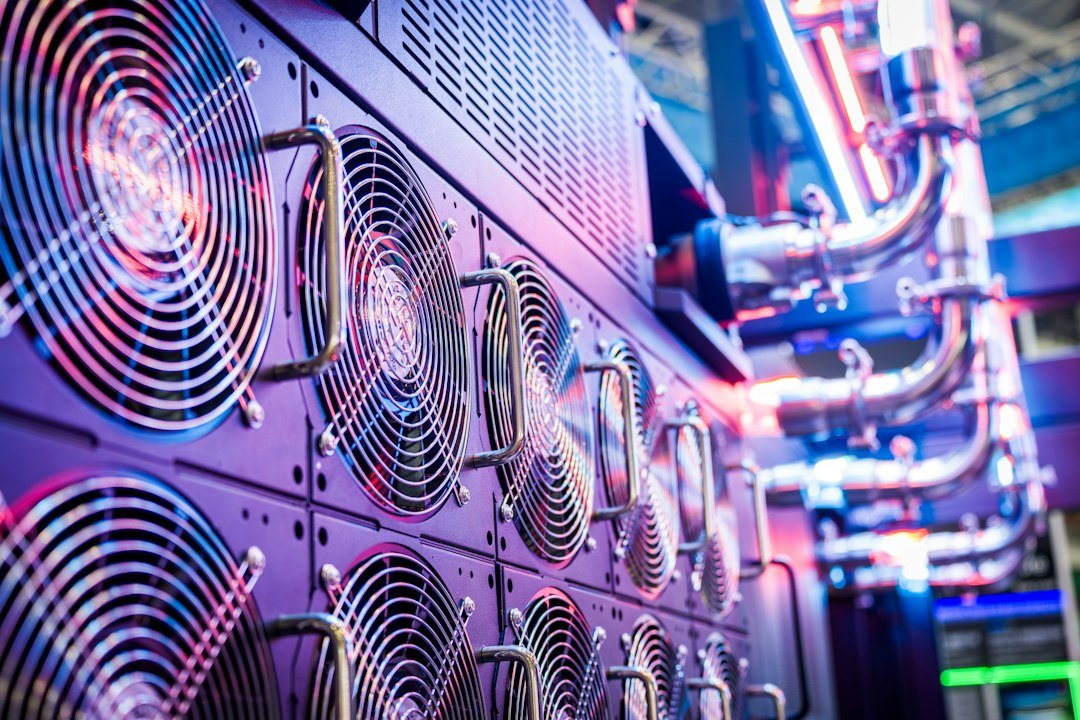
VIDEO PRODUCTION DRAFT — NOT PUBLISHED VIDEO. Research checked 17 October 2026. Nexeons Videos के लिए educational storyboard: AI data center में UPS, servers, cooling, PUE और Tier III/IV resilience को original diagrams के जरिए समझाने वाला planned narration। यह article के रूप में draft script है, recorded media नहीं।
Video की स्थिति और editorial setup
यह Nexeons Videos के लिए research-based production script और storyboard है, अभी कोई recorded video या published YouTube episode नहीं। प्रस्तावित length लगभग 12–15 minutes है; narration speed, animated diagrams और pauses के अनुसार final runtime बदलेगा। Visuals में stock server racks को किसी named company के real facility footage की तरह प्रस्तुत न करें। On-screen power numbers examples हैं, verified company operational statistics नहीं। Final recording में source credits, visual licences और pronunciation review जरूरी है।
Scene 1: 00:00–00:40 — AI के पीछे invisible factory
Visual: एक user laptop में AI search करता है; camera virtual animation के जरिए शहर की data center building तक जाता है। Narration: आपने AI को एक सवाल भेजा, कुछ seconds में उत्तर आया। लेकिन इस जवाब के पीछे racks में computers, network switches, electricity supply और cooling systems काम कर रहे हैं। Data center केवल server storage room नहीं, कई critical infrastructure layers का coordinated operation है। आज समझेंगे electricity server तक कैसे पहुँचती है, गर्मी कैसे बाहर जाती है और PUE नाम की number क्या बताती है।
Scene 2: 00:40–01:15 — Data Center बनाम ordinary office server
Visual: छोटे office में एक tower server, फिर कई server racks का aerial diagram। Narration: एक small office का server भी information services चला सकता है, मगर dedicated data center में electrical redundancy, controlled cooling, network diversity और monitoring का बड़ा infrastructure हो सकता है। Facility design उसके workload और business requirements पर निर्भर है। हर data center hyperscale नहीं और हर rack AI model training में ही नहीं लगा होता। वे web hosting, financial records, backups तथा many different digital services भी संभालते हैं।
Scene 3: 01:15–01:55 — Electrical supply की journey
Visual: Grid connection से switchgear, UPS, PDU और rack तक arrows वाला original animation। Narration: Power utility से आने वाली electricity सीधे processor तक बिना conversion नहीं पहुँचती। Facility electrical distribution components और uninterruptible power supplies supply stability manage करने में भूमिका निभा सकते हैं। Power distribution units rack loads तक energy पहुँचाते हैं। Conversion और distribution में कुछ energy loss होता है, जो PUE जैसी metrics में दिखाई दे सकता है। Diagram conceptual है; हर real facility का topology, voltage और redundancy design अलग होता है।
Scene 4: 01:55–02:30 — UPS सिर्फ battery box नहीं
Visual: UPS batteries और bypass paths का simple non-operational diagram। Narration: बिजली में interruption हो तो UPS critical load को short transition time में supply देने में मदद कर सकता है। Generator लंबे outage में दूसरी layer हो सकता है। लेकिन UPS capacity, transfer configuration, maintenance और testing बेहद महत्वपूर्ण हैं। यदि device fail हो जाए तो उसका replacement path available है या नहीं, reliability का सवाल है। कोई UPS खरीद लेने से facility automatically Tier IV certified नहीं बनती।
Scene 5: 02:30–03:15 — Server गर्म क्यों होते हैं
Visual: Processor के पास heat-map style animation, फिर airflow across rack। Narration: Computing hardware electrical energy का बड़ा हिस्सा heat में बदल देता है। CPUs, GPUs, memory और network equipment continuous work के दौरान गर्म होते हैं। Heat हटाने का प्रबंध ठीक न हो तो components thermal throttling या failure के जोखिम में पड़ सकते हैं। Cooling plan में room airflow, temperature sensors, fans, chillers और कुछ use cases में liquid systems शामिल हो सकते हैं। हर facility की actual design constraints अलग हैं।
Scene 6: 03:15–03:55 — Hot aisle और cold aisle
Visual: Alternating server rack rows में नीला cold inlet air और लाल hot exhaust, conceptual arrows। Narration: Air-cooled data centers में racks की arrangement से cool air server intake तक और गर्म exhaust अलग direction में guide करने का प्रयास किया जाता है। इससे hot और cold airflow mixing कम की जा सकती है। Containment systems controlled airflow में मदद करते हैं, लेकिन effectiveness facility design तथा operations पर निर्भर है। Camera shot में वास्तविक technical clearances को oversimplify करके hardware-installation instruction की तरह न दिखाएँ।
Scene 7: 03:55–04:40 — Liquid cooling क्या बदलती है
Visual: Air-cooled rack और liquid-assisted processor cooling का side-by-side abstract animation। Narration: High-density computing में airflow alone से thermal management कठिन हो सकता है। Liquid cooling heat को liquid loop में transfer करने का विकल्प देती है। इसका मतलब सभी racks में electronics पानी में डूबे होंगे, ऐसा नहीं। Direct-to-chip, rear-door heat exchanger और immersion approaches अलग हैं। किसी method का लाभ cooling efficiency के साथ capital expense, leak detection, maintenance और infrastructure compatibility देखकर तय होता है।
Scene 8: 04:40–05:15 — Chiller और cooling tower
Visual: Heat exchanger, chiller और external heat rejection process का animated sequence। Narration: कुछ cooling architectures में chilled-water loop heat को carry करता है; chiller और condenser arrangements ambient environment में heat reject करने में मदद करते हैं। Evaporative cooling पानी इस्तेमाल कर सकती है, जबकि कुछ designs अलग air-cooled configurations अपनाते हैं। इसलिए AI query की water impact का एक universal ‘इतने milliliters प्रति prompt’ figure हर data center पर लागू करना भ्रामक हो सकता है। Source-specific methodology जरूरी है।
Scene 9: 05:15–06:10 — PUE formula
Visual: बड़ी स्क्रीन पर PUE = Total Facility Energy ÷ IT Equipment Energy। Narration: U.S. Department of Energy और ENERGY STAR documentation के अनुसार Power Usage Effectiveness data center की total energy को IT equipment की energy से divide करता है। अगर illustrative facility एक अवधि में कुल 150 energy units ले और IT equipment 100 units use करे, तो PUE 1.5 है। बची 50 units का मतलब केवल AC नहीं; cooling, electrical conversion और other infrastructure overhead हो सकता है।
Scene 10: 06:10–06:50 — PUE 1.2 और 2.0 का मतलब
Visual: दो illustrative bars, same IT workload 100 units; total facility 120 बनाम 200 units। Narration: यदि identical measurement boundaries में IT energy 100 units हो तो PUE 1.2 वाली facility को total 120 units और PUE 2.0 वाली facility को 200 units की जरूरत हो सकती है। लेकिन दो अलग sites का comparison operating load, climate और measurement conditions देखे बिना unfair हो सकता है। Lower PUE generally less facility overhead बताता है, guaranteed lower bills या better AI output नहीं।
Scene 11: 06:50–07:35 — PUE क्या नहीं बताता
Visual: Icons: carbon, water, cost, safety, AI quality—हर icon के नीचे छोटा ‘Not directly measured’ label। Narration: PUE अकेले carbon intensity, water use, chip manufacturing impact या model accuracy नहीं मापता। Renewable electricity mix, location और equipment utilisation अलग factors हैं। Low PUE वाली facility का total electricity consumption तब भी बड़ा हो सकता है यदि workload बहुत विशाल है। DOE efficiency guidance performance comparison के लिए multiple metrics देखने पर जोर देती है।
Scene 12: 07:35–08:20 — Tier I से IV तक
Visual: चार-column graphic, labels Basic, Redundant, Concurrently Maintainable, Fault Tolerant। Narration: Uptime Institute के Tier classification में Tier I basic site capacity, Tier II redundant components, Tier III concurrently maintainable infrastructure और Tier IV fault-tolerant topology से संबंधित हैं। यह certification specific infrastructure assessment से जुड़ी होती है। कोई data center marketing brochure में four nines uptime लिखे तो उसे independent Tier certification का equivalent न समझें। Availability calculation और certification अलग चीजें हैं।
Scene 13: 08:20–09:00 — Tier III का व्यावहारिक अर्थ
Visual: Parallel distribution routes वाला basic animation; एक component maintenance में, दूसरे route से server operational। Narration: Tier III concept में critical infrastructure को maintain करने के लिए entire IT operations बंद करना आवश्यक न हो, यह design goal है। यह बताता है कि redundant delivery paths और capacity planning क्यों महत्त्वपूर्ण हैं। लेकिन operator mistakes, software incidents, cyberattacks या extraordinary events का risk इससे zero नहीं होता। A certified physical design को end-to-end application uptime का 100% promise समझना गलत होगा।
Scene 14: 09:00–09:40 — Storage, network और backup
Visual: Compute, storage, switch और offsite backup locations के simple icons। Narration: Server के पास तेज processors हों लेकिन network या storage bottleneck हो तो customer application धीमी पड़ सकती है। Data protection के लिए backup, immutable copy और restoration drills भी जरूरी हैं। Redundant storage होने से deleted record recover करने की guaranteed ability नहीं आती; backup policy और retention separate हैं। कुछ organisations अलग geographic region में recovery facility plan करती हैं, लेकिन cost तथा recovery time objectives तय करने चाहिए।
Scene 15: 09:40–10:15 — Monitoring dashboards
Visual: Fictional monitoring UI with temperature, electrical load, fan and network health charts। Narration: Data center operations में facility sensors, alerts, incident response और maintenance scheduling critical हैं। Alert सिर्फ red light नहीं; trained staff को real root cause पहचानना पड़ता है। Power spikes, abnormal temperatures और networking issues के लिए severity-based escalation रखें। कोई dashboard ‘all green’ दिखाए तब भी backup restore test और compliance audit की जरूरत बनी रहती है।
Scene 16: 10:15–11:00 — AI GPU clusters अलग क्यों
Visual: Multiple GPU servers linked over high-speed network as abstract blocks। Narration: AI model training या inference के लिए GPUs compute throughput दे सकते हैं, लेकिन उनका energy demand और cooling configuration workload के अनुसार बदलती है। Training और inference के energy profiles, latency requirements तथा network communication needs अलग हो सकती हैं। GPU count अकेला performance का perfect measure नहीं है; model architecture, software, memory bandwidth, utilisation और system reliability साथ महत्वपूर्ण हैं।
Scene 17: 11:00–11:35 — Data centre sustainability की कठिनाई
Visual: Facility energy bars, water meter and renewable energy icon; all figures labelled Illustrative। Narration: Efficient cooling और better hardware से energy waste घटाया जा सकता है, मगर कुल demand बढ़े तो absolute footprint भी बढ़ सकती है। इसलिए electricity source, total consumption, water impact और equipment lifecycle को साथ समझना चाहिए। DOE guidance में PUE सहित WUE, CUE और other efficiency metrics देखने की बात है। किसी एक green badge को full sustainability certification न मानें।
Scene 18: 11:35–12:10 — Cloud customer क्या पूछे
Visual: Procurement checklist overlay। Narration: Server hosting या colocation चुनते समय site location, physical security, uptime architecture, power backup, data protection, incident communication और restoration policy पूछें। Published PUE value किस measurement period तथा facility boundary से आया है, समझें। यदि provider Tier-certified होने का दावा करे तो Uptime Institute की relevant certification verification देखें। Low price के साथ data residency और contractual SLAs का review न छोड़ें।
Scene 19: 12:10–12:40 — Summarise
Visual: Electricity → UPS → Racks → Heat → Cooling → Monitoring. Narration: जब आप कोई AI prompt भेजते हैं, उसके पीछे computers के अलावा power systems, cooling, networks और trained operators का ecosystem है। PUE facility energy efficiency का useful indicator है, मगर service quality, climate impact और security का अकेला score नहीं। Tier classifications site resilience goals समझाते हैं, software की guaranteed reliability नहीं। Technology का balanced understanding marketing numbers से आगे जाकर physical infrastructure को समझना है।
Production safety and visual credits
Video बनाने से पहले original diagrams तैयार करें या properly licensed footage लें। ऐसे visuals में किसी unrelated company का nameplate, logos या employees को बिना permission शामिल न करें। Re-enactments पर ‘Illustration’ लिखें। Voice-over script में 150 बनाम 100 units के उदाहरण को real measured data की तरह न दिखाएँ। Audio narration के numbers editorial verification से pass होने चाहिए। यह production script है; actual video या podcast link अभी नहीं बना।
Source card and final review
Research primary sources: U.S. Department of Energy — Best Practices Guide for Energy-Efficient Data Center Design, ENERGY STAR — PUE and Power Distribution, Uptime Institute Tier Classification। Footage licences और final on-screen graphics pending हैं; कोई certification या exact cost saving की verified claim यहाँ नहीं की गई।
इस विषय पर आगे क्या पढ़ें?
इस खबर से जुड़े विषयों को आसान भाषा में और गहराई से समझें।