लेखक:
लेखक: 
Research updated: 25 October 2026. Google ने 21 अक्टूबर को Gemini के छोटे कारोबारों के लिए नए features बताए, जिनमें website, brand kit, fonts और color palettes की मदद से consistent marketing visuals तैयार करने का workflow शामिल है। Google की घोषणा में इस काम के लिए Nano Banana 2.1 image generation model का उल्लेख है। लेकिन यह समझना जरूरी है कि Google का नया workflow क्या करता है, business को कौन-से design inputs तैयार रखने होंगे और AI-generated creative को सीधे विज्ञापन में इस्तेमाल करना क्यों जोखिमपूर्ण हो सकता है।
Quick answer: Gemini का business-oriented visual workflow brand style लेकर product promotion के लिए समान visual language बनाए रखने में मदद करने के लिए घोषित किया गया है। यह अपने आप registered trademark, accurate price label या production-ready legal artwork की guarantee नहीं देता। इस Hindi guide में step-by-step branding process, prompt examples, file ownership, human review और cost calculation समझेंगे।
Google का नया Brand Kit feature क्या है
Google की 21 October 2026 announcement में business owners के लिए Gemini के भीतर dedicated landing page, visual creation और related connected apps की बात की गई है। “On-brand visuals” में business अपनी website, existing brand kit, fonts या color palette से style define कर सकता है। Google बताता है कि Nano Banana 2.1 के साथ यह input product launches और ongoing campaigns के लिए consistent visuals बनाने में मदद करता है। Announcement में style को याद रखने की बात कही गई है, ताकि हर asset के लिए समान instructions बार-बार न देनी पड़ें।
इससे एक practical समस्या हल हो सकती है: Instagram post में blue, WhatsApp offer में green और website banner में बिल्कुल अलग font दिखे तो customer को brand पहचानने में कठिनाई होती है। यदि business की style rules पहले से तय हैं, तो AI उन्हें initial creative brief की तरह उपयोग कर सकता है। लेकिन feature का current interface, plan eligibility और supported file types अलग-अलग accounts में बदल सकते हैं। “One click में 100 perfect ads” का दावा official announcement से सिद्ध नहीं होता।
Nano Banana 2.1 और Business Hub का संबंध
Nano Banana 2.1 का नाम Google ने उसी 21 October business-tools announcement में latest image-generation model के रूप में लिया। इसे Gemini Business Hub का पूरा पर्याय न समझें: hub business tasks की broader जगह है, जबकि Nano Banana 2.1 visual generation से जुड़ा model है। Brand style inputs, task instructions, generated images और connected apps मिलकर workflow बना सकते हैं; उनमें किस चरण में कौन-सा tool काम करेगा, user account पर मौजूद controls से ही स्पष्ट होगा।
किसी restaurant के उदाहरण में business पहले अपने logo और cream-maroon colors बताता है; फिर weekend menu promotion के लिए तीन background concepts generate करता है। Marketing manager menu items और सही prices स्वयं जोड़ता है। AI photo में बनावट या plate style generate कर सकता है, पर उसमें दिखाया खाना actual outlet में परोसे जाने वाले portion से अलग हुआ तो customer misrepresentation हो सकता है। इसलिए official model name जानना उपयोगी है, लेकिन final commercial accuracy model नहीं, business owner सुनिश्चित करता है।
Brand Kit में कौन-सी files और जानकारी रखनी चाहिए
पहला asset logo का authorised master file होना चाहिए। Transparent PNG, SVG या designer से मिली licensed vector file रखें, लेकिन यह verify करें कि आपके account के current Gemini workflow में कौन-सा format स्वीकार होता है। दूसरा asset primary और secondary colors की exact HEX values हो सकती हैं। तीसरा heading/body fonts, उनकी license और Hindi script rendering की requirements हैं। चौथा brand voice: formal, friendly, premium, regional या educational जैसी साफ writing guidelines। पाँचवाँ photography style—bright daylight, neutral product background या lifestyle shots।
अगर business का brand guide नहीं बना तो एक-page brief से शुरुआत करें: business name, target audience, तीन colors, दो approved font styles, logo safe area और किन चीजों को visual में नहीं दिखाना है। गलत source logo या outdated phone number को बार-बार reuse करने से AI consistency भी गलत हो जाएगी। “Brand Kit” का मतलब केवल colors upload करना नहीं; content और legal identity के नियम लिखना भी है।
Illustrative example: कपड़ों की दुकान की identity कैसे define करें
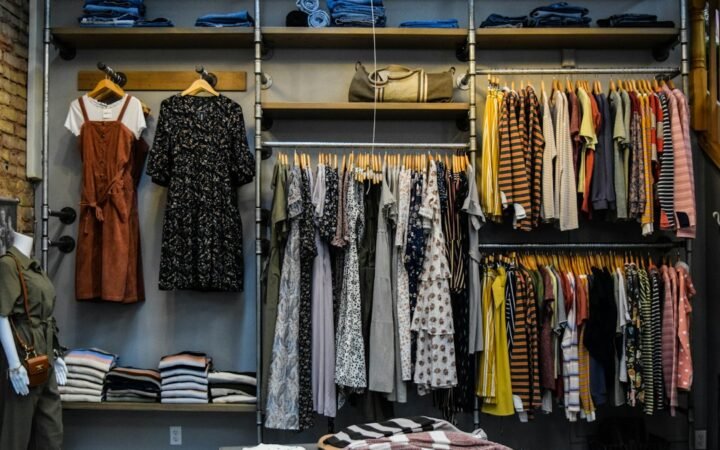
मान लीजिए जयपुर की एक कपड़ों की दुकान का नाम “Kalpana Weaves” है—यहाँ नाम केवल काल्पनिक उदाहरण है। उसके लिए brand brief में warm cream background, maroon accents, modern Devanagari heading, neutral product photography और minimalist CTA तय होते हैं। Audience working professionals हैं, इसलिए captions में अत्यधिक emoji, unverified celebrity endorsement और “guaranteed original silk” जैसे unsupported statements नहीं आने चाहिए। Discount सिर्फ approved inventory sheet से आएगा।
अब इसी brand kit से Facebook 1:1 post, Instagram 4:5 post और website 16:9 banner के visual concepts माँगे जा सकते हैं। तीनों का focal product समान होगा, पर crop और text-safe area अलग रखेंगे। Logo का size platform के हिसाब से adjust होगा, ब्रांड के रंग नहीं बदलेंगे। यदि दुकान दूसरे state में Hindi और English versions चलाती है, तो प्रत्येक भाषा में typographic spacing, line breaks और labels अलग जाँचने होंगे। यह example workflow का है, Google का tested demonstration नहीं।
Step 1 — मौजूदा design assets की quality जाँचें
AI में input की quality बहुत मायने रखती है। Pixelated logo को upscale करके official master मत बना दें; image-generation model logo के letters या symbol बदल सकता है। पुराने catalog में गलत MRP या discontinued packaging है तो उसे नए campaign input में न रखें। Customer photographs का उपयोग केवल उनकी अनुमति और applicable privacy terms के अनुसार करें। Licensed stock photograph का उपयोग उसकी commercial-use terms पढ़कर करें।
एक practical folder structure रखें: /brand/logo-approved, /brand/fonts-license, /brand/colors, /brand/product-photos, /campaign/current-offers। “Final”, “Final2” और “Latest-final” नाम वाले पाँच logo versions में से कौन सही है, इसकी ownership तय करें। जब business एक consistent visual system चाहता है, तो पहला कदम automation नहीं बल्कि source files को authoritative बनाना होता है।
Step 2 — Gemini को limited design brief दें
Official business feature आपके account में उपलब्ध है तो branding workspace या संबंधित Gemini experience में business की approved website या brand assets के अनुसार instructions दें। यदि वह feature अभी नहीं दिख रहा, तो आप concept briefing सामान्य creative assistant में कर सकते हैं, लेकिन दोनों experiences को एक जैसा घोषित न करें। शुरुआत में low-risk advertisement concept लें: कोई finance claim, medical before-after result या regulatory certification logo नहीं।
Sample prompt: “यह brand kit है: maroon #7F243F, ivory #FAF4EA, clean Hindi type, calm premium style। Ethical handmade apparel promotion के 3 backgrounds suggest करो। Product photo में design या thread pattern न बदलो। Logo को reference style मानो लेकिन wordmark recreate मत करो। Price, offer, delivery claim या influencer endorsement text generate न करना।” इस instruction में design goal के साथ सीमाएँ भी हैं।
Step 3 — Visual consistency को measurable कैसे बनाएं
Consistency सिर्फ “दो images एक जैसी लगती हैं” नहीं है। एक review checklist बनाएं: color palette में approved shade दिखे या नहीं, headline और CTA का hierarchy सही है या नहीं, logo distort तो नहीं हुआ, product accurately दिख रहा है या नहीं, background distracting है या नहीं और mobile thumbnail पर पहचान मिलती है या नहीं। अलग-अलग output में product photograph का crop जानबूझकर बदल सकता है; इसका मतलब inconsistency नहीं। लेकिन branding के core elements बदलना समस्या है।
Team हर generated creative को पाँच में score दे सकती है: palette respect, logo integrity, product accuracy, readability, CTA clarity। पाँचों scores का average reliability indicator नहीं, internal review helper है। एक campaign में चार designs acceptable हों और दो को human rework चाहिए तो इस बात को note करें। इससे बिना evidence “AI 90% accurate है” जैसी marketing भाषा से बचा जा सकता है।
Step 4 — Product launch के तीन practical formats
पहला, teaser creative: product का approved silhouette या texture, launch date अगर verified हो और “Coming soon” जैसा non-committal message। दूसरा, launch-day creative: product का real photograph, accurate available variants और verified call to action। तीसरा, retargeting creative: product details, return policy और legitimate store URL। तीनों में brand colors और typography साझा हों, लेकिन audience और message अलग हों। AI को सभी creative में एक ही decorative background copy-paste करने से रोकें।
Local business के लिए WhatsApp Status, Instagram Story, product-list page और Google Business Profile post के aspect ratios अलग हो सकते हैं। Canvas size प्रत्येक placement के current official specifications से verify करें। Designers अक्सर safety margins और text visibility बनाए रखने के लिए device mockups में designs जाँचते हैं। इससे generated visual आकर्षक होने के साथ actual platform में उपयोगी भी रहता है।
Logo, trademark और copyright risk को समझें
Brand kit किसी business का अपना logo हो तो उसे दूसरे brand के trademark के साथ blend न करें। “Famous sportswear brand जैसा logo बना दो” एक कमजोर और संभावित कानूनी जोखिम वाला prompt है। Generated illustration के commercial rights और indemnity जैसे विषय vendor terms, connected app और आपकी jurisdiction के आधार पर अलग हो सकते हैं। Google की feature announcement को हर generated image के लिए copyright ownership की legal guarantee समझना गलत है।
अगर creative में stock photograph, artist illustration या font शामिल है, तो license record रखें। किसी product image में actual packaging, certification mark या expiry information है तो AI से उसे invent या replace न कराएँ। हमारी AI Images Commercial Copyright Checklist में license और approval के practical checks हैं। बड़े campaign से पहले designer या legal reviewer की जरूरत हो सकती है।
AI image में text, Hindi typography और factual claims
Image-generation models कई बार text में spelling mistakes, गलत matras, distorted digits या confusing typographic joins पैदा कर सकते हैं। Devanagari में यह risk विशेष महत्वपूर्ण है क्योंकि छोटे बदलाव से offer का अर्थ बदल सकता है। इसलिए कई businesses background or visual concept AI से लेते हैं और final price/offer text अपने design software में editable type के रूप में लगाते हैं। यह process correction आसान बनाता है और brand font सुनिश्चित करता है।
किसी pricing banner में “₹1,999” के बजाय “₹199” बन जाना real business loss और customer dispute बन सकता है। “50% off”, “ISO certified”, “No hidden charges” या “Organic” जैसे दावे verified records के बिना न छापें। Creative prompt में स्पष्ट लिखें कि model coupon codes, cashback, policy guarantee और service claims न गढ़े। Final proof के लिए दो लोगों से number और address cross-check कराएँ।
Gemini के connected apps से design workflow कहाँ बेहतर हो सकता है
Google ने 21 October announcement में Adobe, Canva, Dropbox, Shopify, Wix, Zoho और Xero समेत कई connected apps का उल्लेख किया था। Design use case में इनमें से संबंधित tools को workflow में जोड़ने की संभावना उपयोगी हो सकती है, लेकिन announcement से यह मानना गलत है कि हर app में end-to-end publishing या editing तुरंत enable है। किसी app का connection data read तक सीमित हो सकता है या अलग consent चाहिए हो सकता है।
Practical chain बनाएं: approved brand kit → AI design concepts → human design review → accurate product text → final export → authorised social scheduling। Shopify या store product pages के approved information से final advertisement match करें। If data mismatches, promotion रोकें। Tool connection सिर्फ तब करें जब उससे measurable काम कम हो; अन्यथा manual export और upload data governance के लिहाज से सरल हो सकता है।
Cost और ROI को image count से आगे देखें
किसी AI art workflow का मूल्य सिर्फ generate हुई files की संख्या नहीं है। यदि marketing employee एक banner बनाने में 45 मिनट लगाता था और AI concept के साथ final edit में 25 मिनट लगते हैं, तो 20 मिनट का potential time benefit है। यदि वही creative में गलत headline सुधारने में 30 मिनट अतिरिक्त लगे, तो कुल productivity benefit खत्म हो गया। Example में मनमाने “AI saves 80%” को industry statistic न लिखें; अपना baseline और actual rework समय दर्ज करें।
एक calculation structure रखें: total campaign cost = subscription or usage fees + photographer/design licensing + reviewer time + correction effort + distribution cost। फिर campaign results को attributable conversion, refund requests और customer complaints के साथ देखें। अधिक visual variations बनाना अपने आप ज्यादा बिक्री का कारण नहीं होता। नई सुविधा खरीदने से पहले एक महीने का small pilot और clear quality threshold तय करें।
Brand kit privacy और client-data boundaries
Logo और public brand palette की privacy जरूरत payroll records जैसी नहीं हो सकती, लेकिन unpublished launch assets, supplier prices, customer faces और NDA-covered product photos confidential हो सकती हैं। Gemini या किसी connected app में upload करने से पहले current privacy terms, account settings और data sharing permissions जाँचें। Agency client के लिए काम करती है तो उसकी creative files third-party generative AI में डालने का explicit approval आवश्यक हो सकता है।
Marketing workflows को “draft-only” रखना सुरक्षित शुरुआत है। Design agency का intern promotional poster बना सकता है, लेकिन offers publish करने के लिए business owner approval आवश्यक हो। कौन-सी version social page पर गई, उसकी timestamp और approver record रखें। यदि कोई campaign वापस लेना पड़े तो exact asset और account पहचानना आसान होगा। AI workflow में version control और rollback design process का हिस्सा होना चाहिए, optional luxury नहीं।
Google feature availability और pricing का सही तरीका
Official announcement ने कई business tools, dedicated landing page और connected apps का उल्लेख किया, लेकिन हर subscriber को हर design feature की समान usage quota या indefinite free rights देने का सार्वभौमिक वादा नहीं करती। Models और quotas बदल सकते हैं। इसलिए purchase decision से पहले current Gemini plans, generation limits, file upload policies, output restrictions और connected app access देखें। Feature अगर आपकी app में अभी नहीं दिखता तो उसकी जगह generic image generator की capability को brand-kit memory feature घोषित न करें।
Small business के लिए सबसे अच्छी शुरुआत है 3–5 approved brand assets, दो छोटे campaigns और documented human reviews। यदि नया workflow वास्तविक time benefit देता है तब broader use करें। Team के लिए simple training guide बनाएँ जिसमें target audience, allowed visuals, forbidden claims और publish approval स्पष्ट हो।
Gemini Brand Kit vs Canva और professional designer
Canva या Adobe जैसे tools में editable layouts, vector objects, precise typography और export presets का मजबूत महत्व है। Gemini का announced advantage natural-language guidance और brand-context से visual concepts तैयार करने की सुविधा हो सकता है। ये tools आवश्यक नहीं कि competitors ही हों: AI ideation और editable design production एक साथ चल सकते हैं। Professional designer की role final composition, commercial claims, visual accessibility और typography में बनी रहती है।
यदि किसी campaign का logo distorted है तो brand-kit memory मौजूद होने के बावजूद design approve नहीं होगा। यदि seasonal promotion में 15 creatives समान background से नीरस लगने लगें तो designer variety introduce कर सकता है। Business को “AI बनाम designer” नहीं, बल्कि “AI की सहायता से designer के पास बेहतर starting material” के रूप में workflow का मूल्य देखना चाहिए।
FAQ — Nano Banana 2.1 Brand Kit के सवाल
क्या Gemini में website URL देकर brand style बन सकती है? Google की 21 October announcement में website और brand kit जैसे inputs से brand style define करने का उल्लेख है; actual account feature rollout check करें।
क्या Nano Banana 2.1 सभी product photos बिल्कुल सही रखता है? ऐसी guarantee नहीं है। Generated details को वास्तविक product से मिलाएँ।
क्या Canva/Adobe से connected apps का मतलब automatic publish है? नहीं। Individual integration permissions और available actions अलग-अलग verify करें।
क्या Hindi tagline image में सही आएगी? AI text output proofreading की जरूरत होती है; final editable typography safer है।
क्या generated logo legally register हो जाएगा? कोई image tool trademark registration की guarantee नहीं देता; legal clearance और jurisdiction-specific प्रक्रिया अलग है।
क्या एक brand kit से social और website banners बन सकते हैं? Google ने consistent marketing visuals के goal का उल्लेख किया है; final aspect ratio, placement guidelines और output quality manually check करें।
किस business को पहले pilot चलाना चाहिए? जिसकी repetitive banner task और approved assets उपलब्ध हों, उसका छोटे scope वाला pilot व्यावहारिक है।
Official references और related guides
- Google India — New Gemini Tools for Small Business Owners (21 October 2026)
- Google — Gemini Business Tools and On-brand Visuals
- Nexeons — Gemini Small Business Hub Overview
- Nexeons — AI Images Copyright and Licensing
- Nexeons — AI Data Privacy
Transparency note: यह how-to planning guide official product announcement और general editorial design practices पर आधारित है। Nexeons ने Nano Banana 2.1 brand-memory feature का hands-on quality test या commercial licensing opinion देने का दावा नहीं किया है। Tool pricing, quotas और geographic rollout बदल सकते हैं।
इस विषय पर आगे क्या पढ़ें?
इस खबर से जुड़े विषयों को आसान भाषा में और गहराई से समझें।