लेखक:
लेखक: 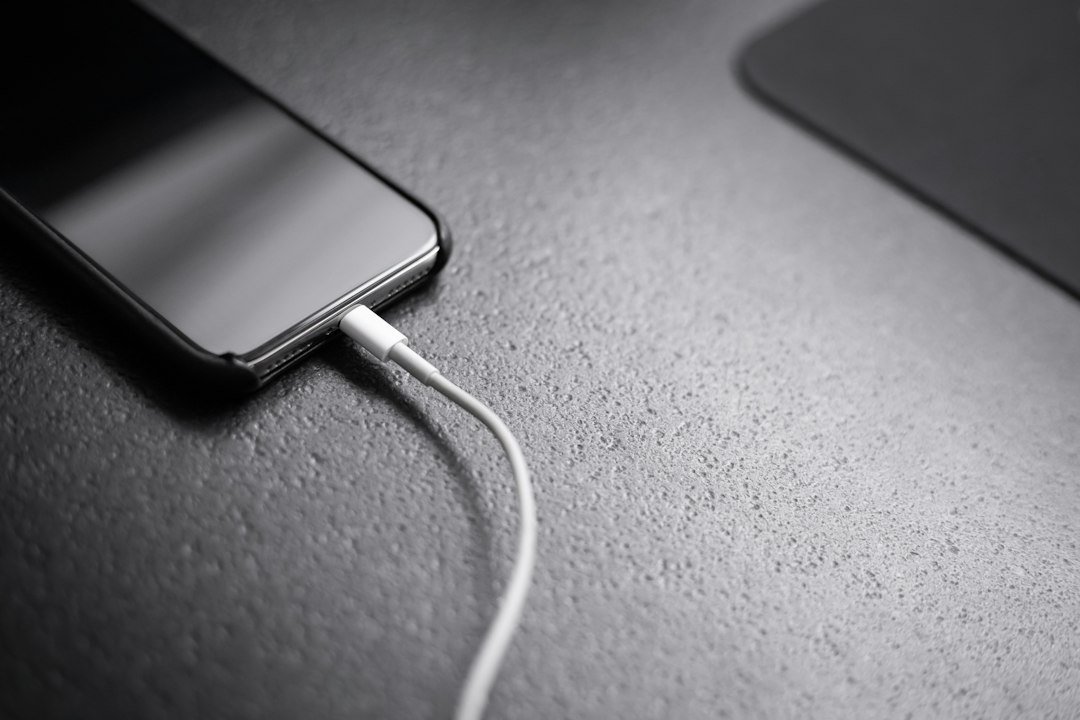
संक्षेप में: हर USB-C cable एक जैसी charging या data speed नहीं देता। USB Power Delivery और device compatibility के महत्वपूर्ण फर्क समझिए।
एक जैसा port, अलग capabilities
कई phones, laptops, monitors और chargers में USB-C आकार का connector मिलता है। लेकिन connector का आकार देखकर charging wattage, data speed, display output और USB generation का फैसला नहीं किया जा सकता। USB Type-C plug की physical design है, जबकि USB Power Delivery यानी USB PD अलग power-negotiation technology है। दो cables देखने में समान हो सकते हैं और फिर भी उनकी certified capability अलग हो सकती है। Product specification देखना जरूरी है।
USB Power Delivery कैसे काम करती है
Compatible source और receiving device बिजली की जरूरत पर बातचीत करके supported power profile तय करते हैं। साधारण charger पर जो maximum wattage लिखा होता है वह हमेशा connected device को उतनी power भेजने का वादा नहीं है। Phone खुद अपनी supported demand और charging state के मुताबिक बिजली खींचेगा। Device और charger के supported profiles match होने चाहिए, वरना lower compatible rate पर charging हो सकती है।
240W का मतलब सब devices में 240W नहीं
USB-IF की Power Delivery specifications में compatible systems के लिए 240W तक power-delivery framework शामिल है। यह USB-C लिखे होने भर से हर port या cable की guarantee नहीं है। अधिक power के लिए charger, receiving device और cable की applicable rating तथा standards support आवश्यक हैं। Laptop का original adapter 100W हो तो केवल 240W charger खरीदने से laptop अपने-आप 240W नहीं लेगा।
Cable rating क्यों महत्वपूर्ण है
Cable के अंदर wire design, supported current, electronics और compliance features उसके इस्तेमाल को प्रभावित करते हैं। कुछ cables सिर्फ basic data तथा charging के लिए उपयुक्त होते हैं; कुछ तेज data transfer और high-power delivery के लिए। विक्रेता की marketing line के बजाय official technical details और genuine certification देखें। सस्ते unbranded cable से overheating, inconsistent charging या connection failures का जोखिम बढ़ सकता है।
Charging speed केवल watts से तय नहीं
Battery level, thermal conditions, device software, charging protocol और background load भी charging time बदल सकते हैं। कुछ fast-charging systems vendor-specific होते हैं; एक phone का proprietary fast-charger दूसरे model को वही speed दे, जरूरी नहीं। इसलिए अपने phone या laptop की official charger requirements पढ़ें। सही quality cable और supported charger का combination practical performance के लिए ज्यादा मायने रखता है।
USB-C data speeds का अलग विषय
एक USB-C cable file transfer में slow हो सकती है, भले charging ठीक हो। USB 2.0, USB 3.x और USB4 जैसी supported technologies को अलग पहचानेँ। USB-C logo को USB4 या किसी निश्चित speed का प्रमाण न मानें। External SSD, camera और docking station के users को host port, cable और peripheral—तीनों की compatibility पढ़नी चाहिए। Data bottleneck एक component की सीमा से पैदा हो सकता है।
Monitor output और docking
कई laptops USB-C के जरिए display signals भेज सकते हैं, लेकिन सभी USB-C ports वीडियो output नहीं देते। DisplayPort Alternate Mode या supported USB4/Thunderbolt capabilities product पर निर्भर हैं। एक docking station पर ‘USB-C compatible’ देखकर multiple monitors की guarantee न मानें। Laptop manufacturer की official display configuration, maximum resolution, bandwidth और power budget के आधार पर purchase करें।
एक practical buying example
मान लें laptop को 65W charger चाहिए और phone को low-power charging भी चल सकती है। ऐसा compatible PD charger चुनना सुविधाजनक हो सकता है जो आवश्यक profile देता हो। अगर charger पर दो ports हैं, तो दोनों साथ उपयोग होने पर power distribution बदल सकता है। Specifications में per-port और combined power check करें। Travel charger खरीदते समय plug quality, regional safety compliance और trusted brand भी देखें।
Fake claims और safety signs
‘सबसे तेज’, ‘universal 240W’, ‘हर laptop में चलने वाला’ जैसे absolute claims से सावधान रहें। Genuine USB-IF logos का सही उपयोग और published device specifications देखना बेहतर है। गर्म होने वाली damaged cable, ढीले connector, burnt smell या बार-बार disconnected charging में उपयोग रोकें। Charging issues को software fault मानने से पहले compatible accessories जाँचें।
Upgrade की छोटी checklist
अपने device की supported wattage, USB PD version, proprietary charging requirements और ports की capabilities लिखें। फिर charger output profiles, cable rating, multiport power split और return policy जाँचें। USB-C port के जरिए storage या monitor भी चलाना हो तो अलग data/display specifications compare करें। नए charger से charging habit सुधर सकती है, लेकिन पुराने device की design limit नहीं बदलेगी।
निष्कर्ष
USB-C physical connection का नाम है, USB PD power के प्रबंधन का system। Cable, charger और device तीनों की compatibility से वास्तविक charging performance तय होती है। Marketing में केवल watts देखकर खरीदने के बजाय official product requirements पढ़ना अधिक समझदारी है।
अक्सर पूछे जाने वाले सवाल (FAQ)
क्या हर USB-C cable fast charging करती है?
नहीं। Cable rating और device तथा charger support अलग से verify करें।
क्या 240W charger सामान्य phone में खतरनाक होगा?
Compatible standards और सही quality होने पर device अपनी supported power negotiate करता है; फिर भी manufacturer guidance देखें।
USB-C से हर laptop monitor चला सकता है?
नहीं। Video output support port-specific होता है।
क्या USB-C और USB4 एक हैं?
नहीं। Connector design और data standard अलग चीजें हैं।
Fast charging क्यों धीमी पड़ जाती है?
Battery temperature, state of charge, software और power negotiation speed प्रभावित कर सकते हैं।
इसी विषय पर और पढ़ें
संदर्भ और official reading
संदर्भ अध्ययन: 11 अक्टूबर 2026। लेख शिक्षाप्रद है; महत्वपूर्ण निर्णय से पहले संबंधित provider या regulator की current guidance देखें।
इस विषय पर आगे क्या पढ़ें?
इस खबर से जुड़े विषयों को आसान भाषा में और गहराई से समझें।